Film production software

Your all in one
dashboard

For solo videographers and production companies alike

No payment details. Create an account, download the app, start your trial.

Mac only · Apple silicon and Intel

Shooting schedule & call sheets

Plan each day with scenes, call times and breaks, plus sunrise, sunset and weather at the location. As a PDF, in your calendar or live on set on the iPhone.

Learn more →
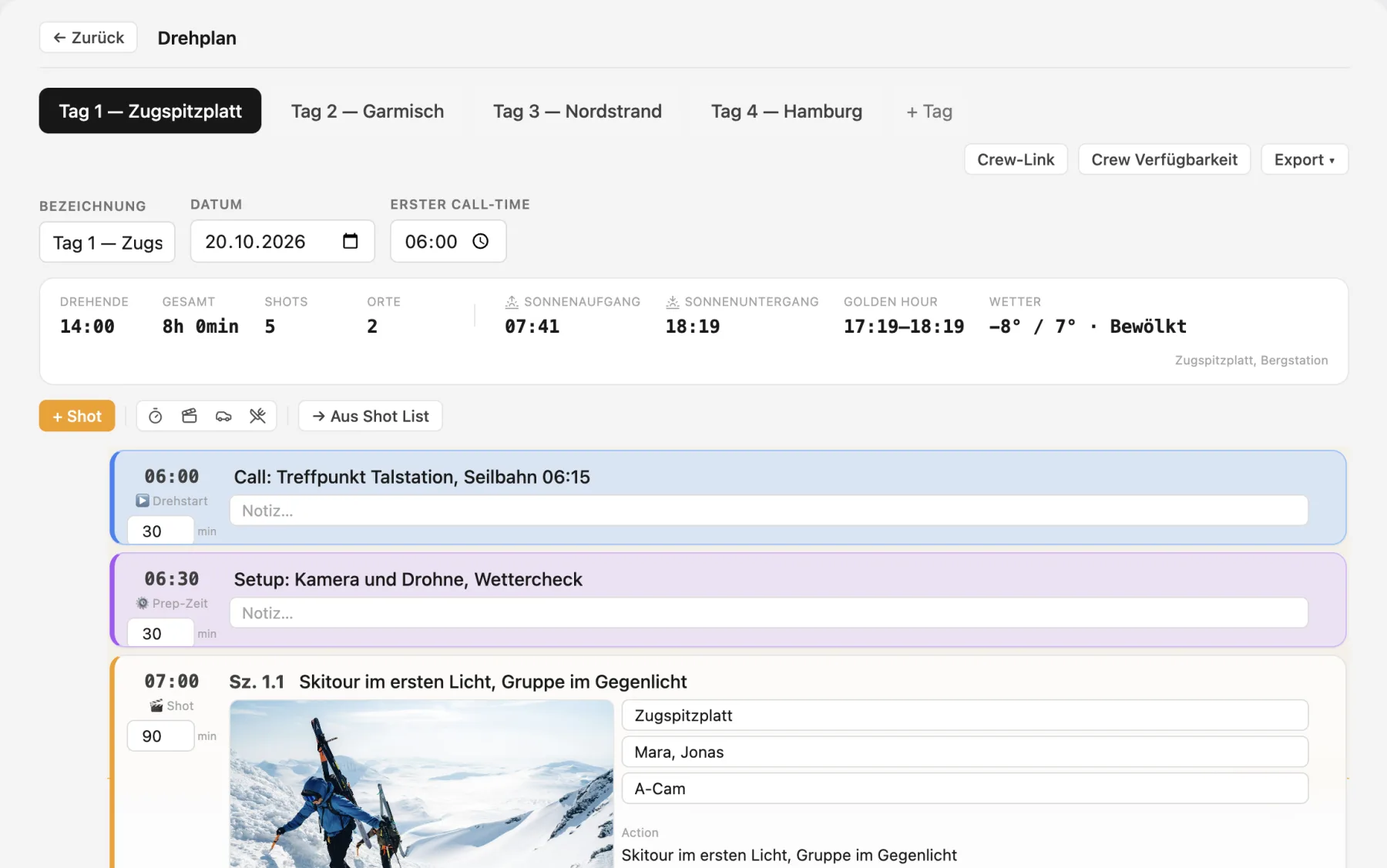
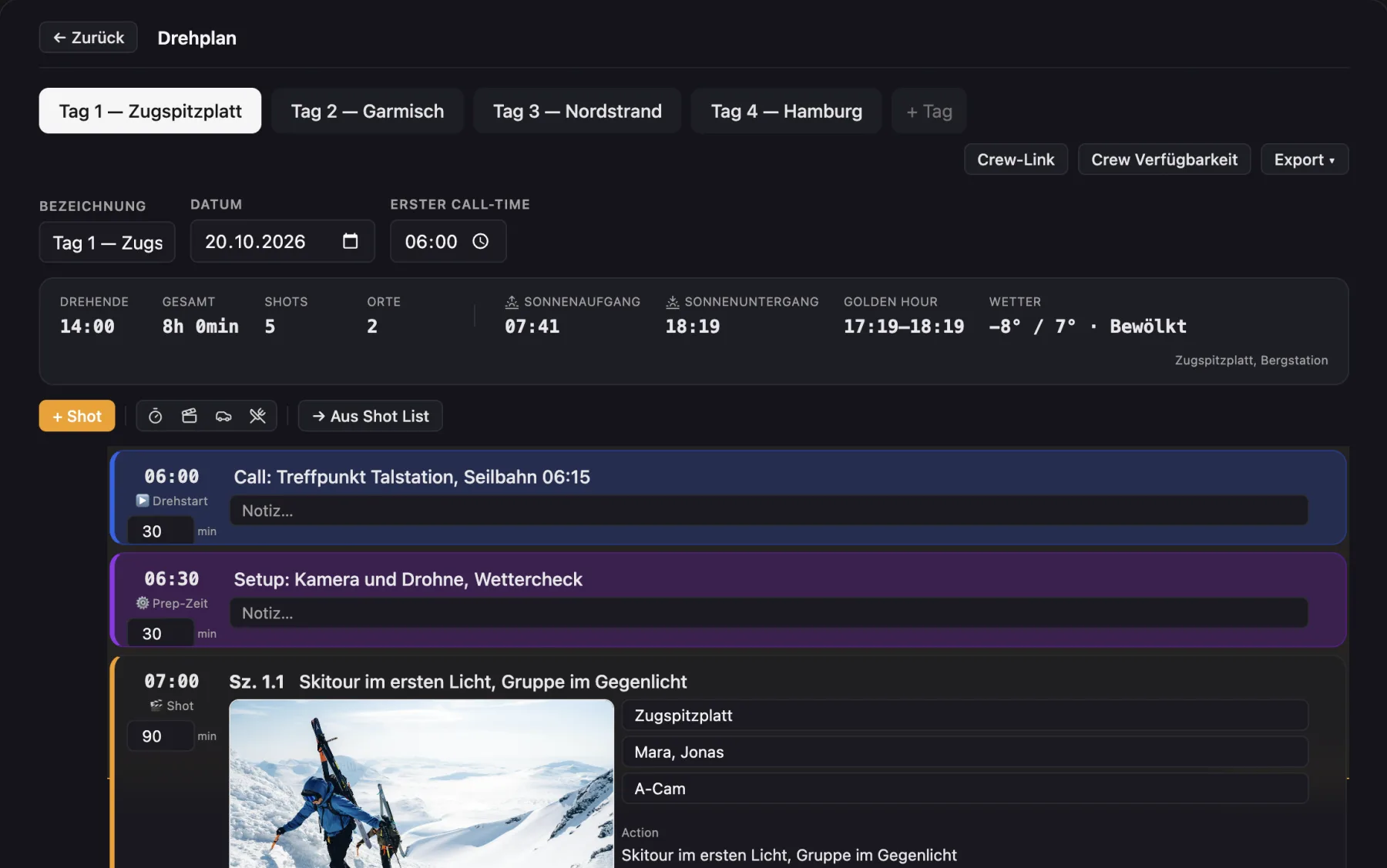
Cinedash shooting schedule Cinedash shooting schedule

Project timeline

Every phase as a Gantt chart, list or calendar. Drag dependencies like cables, and following phases move along when you shift one.

Learn more →
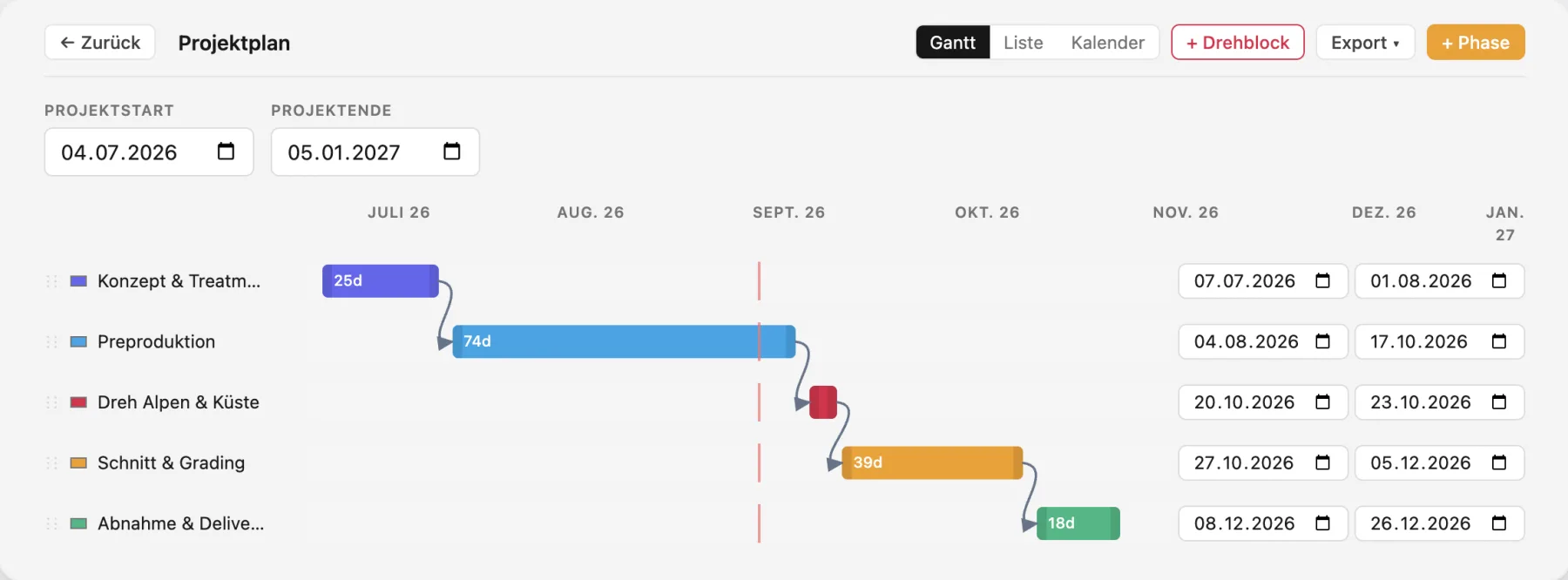
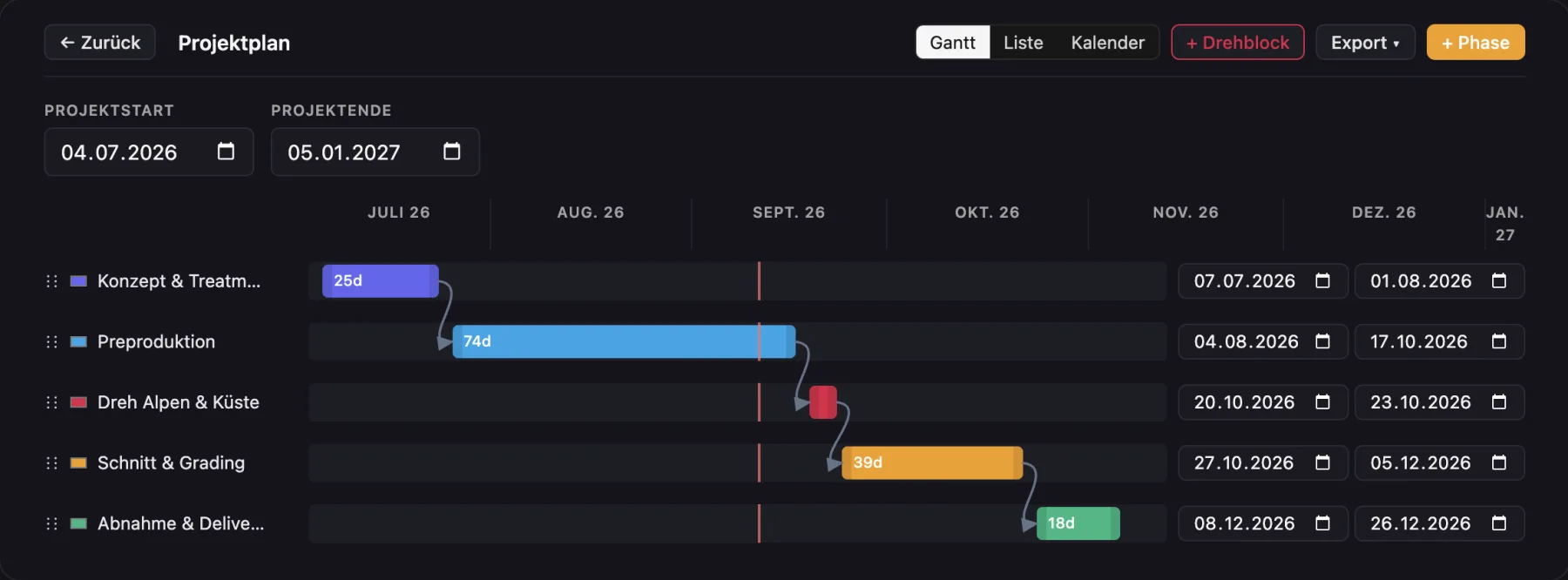
Cinedash project timeline (Gantt) Cinedash project timeline (Gantt)

Everything in view

One project, every department: budget, shot list, cast & crew, locations and travel, in one window.

Cinedash module overview Cinedash module overview

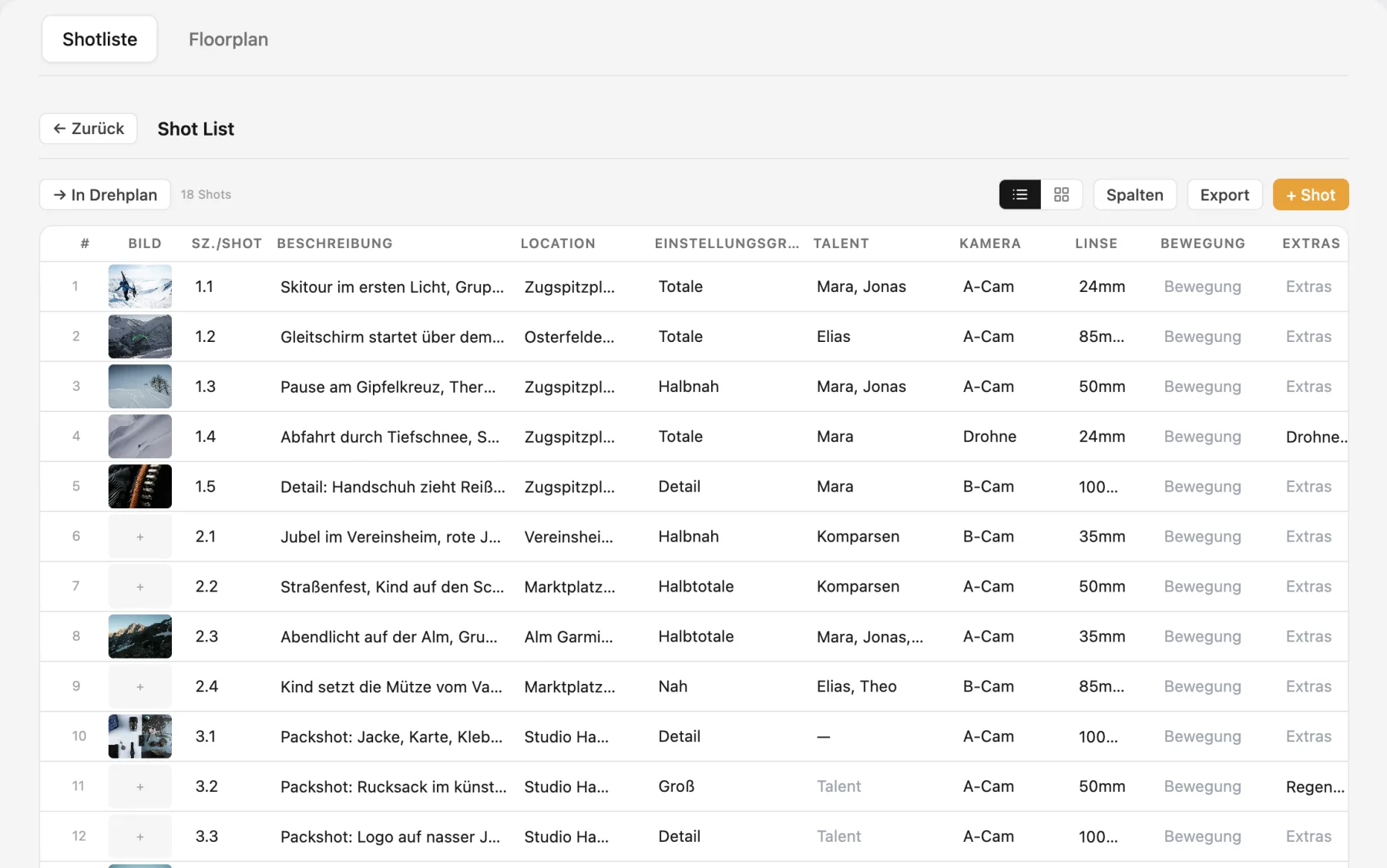
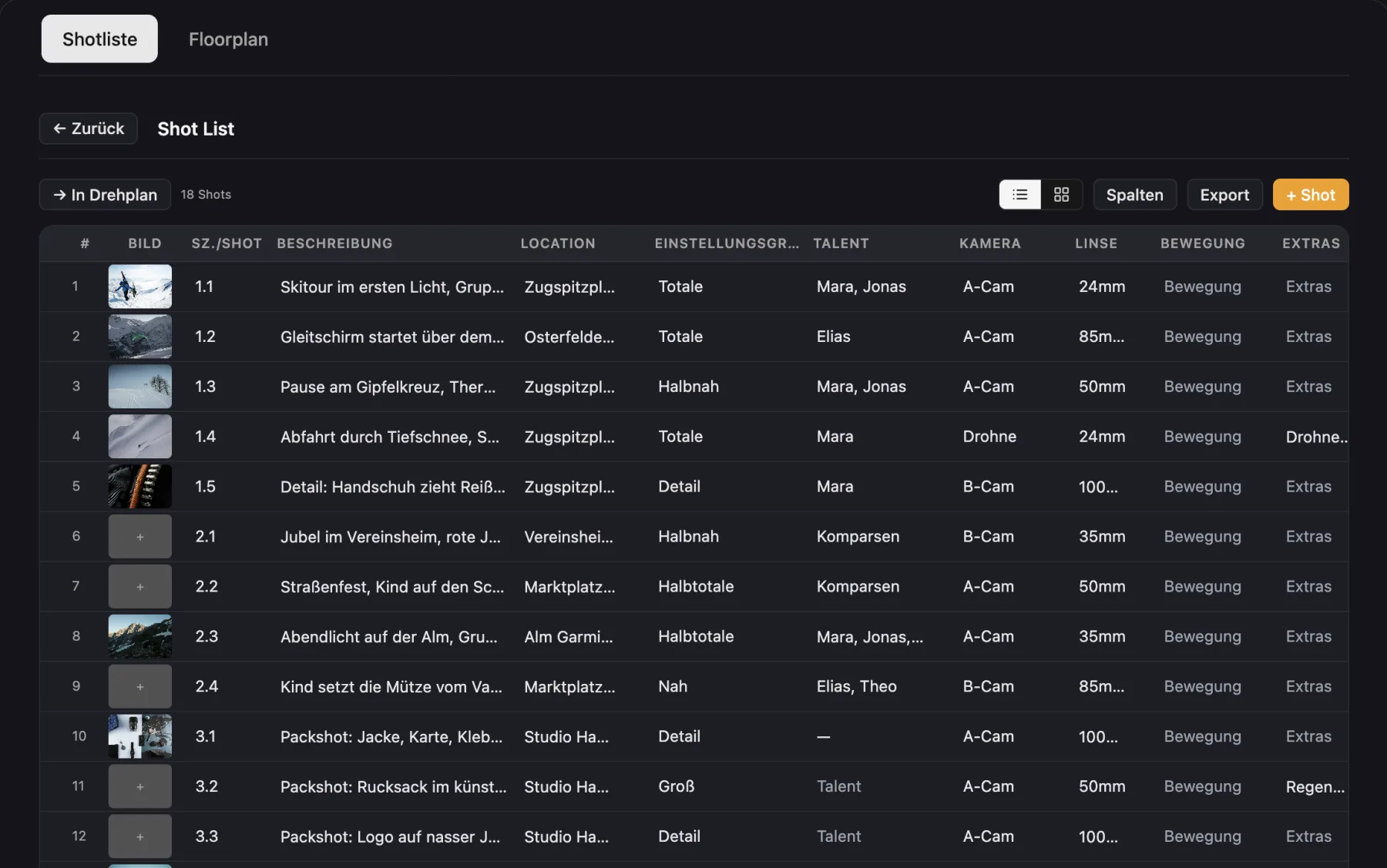
Shot list

Every shot with image, shot size, movement, lens and talent, as a list or cards, plus PDF export.

Learn more →
Cinedash shot list Cinedash shot list

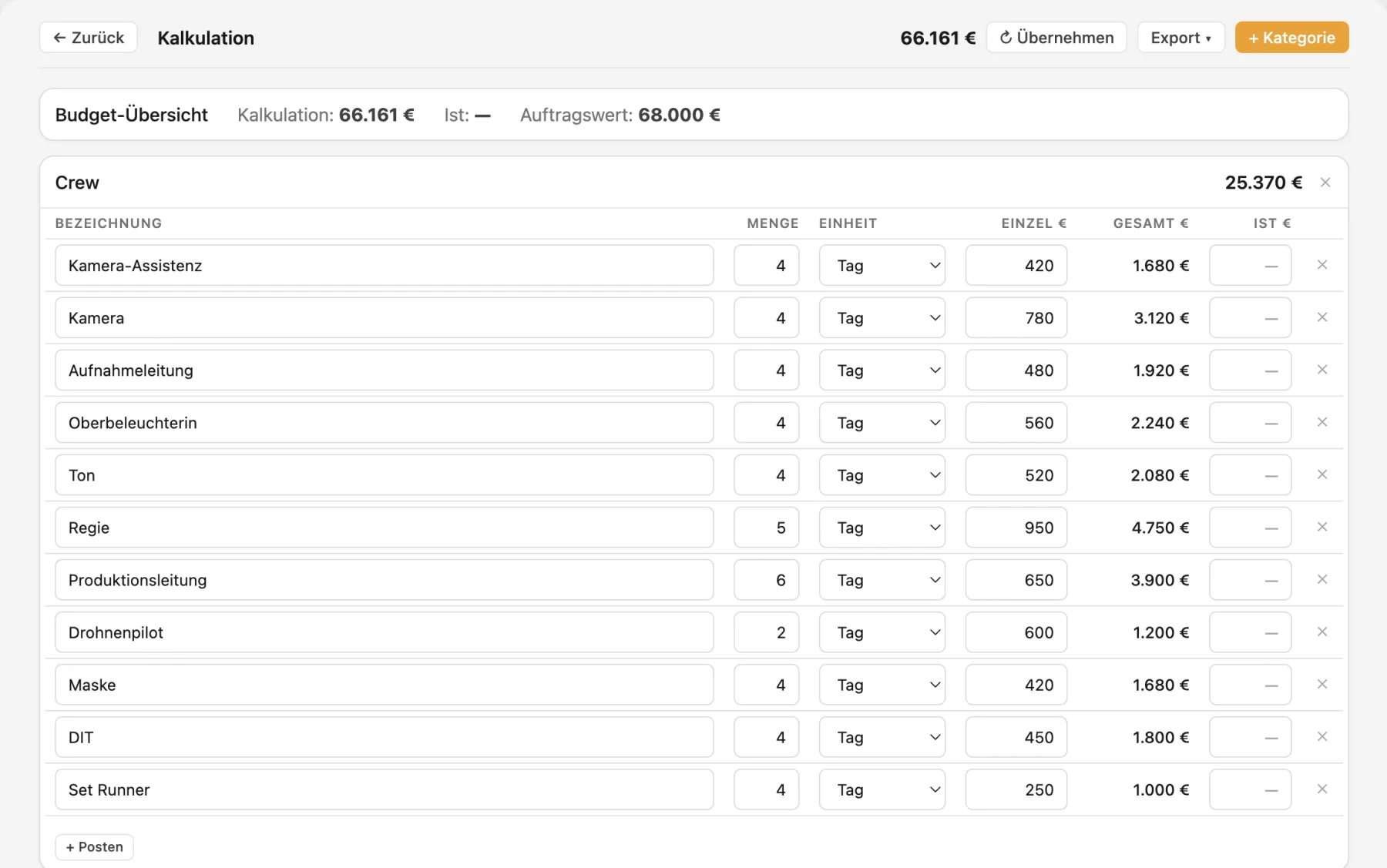
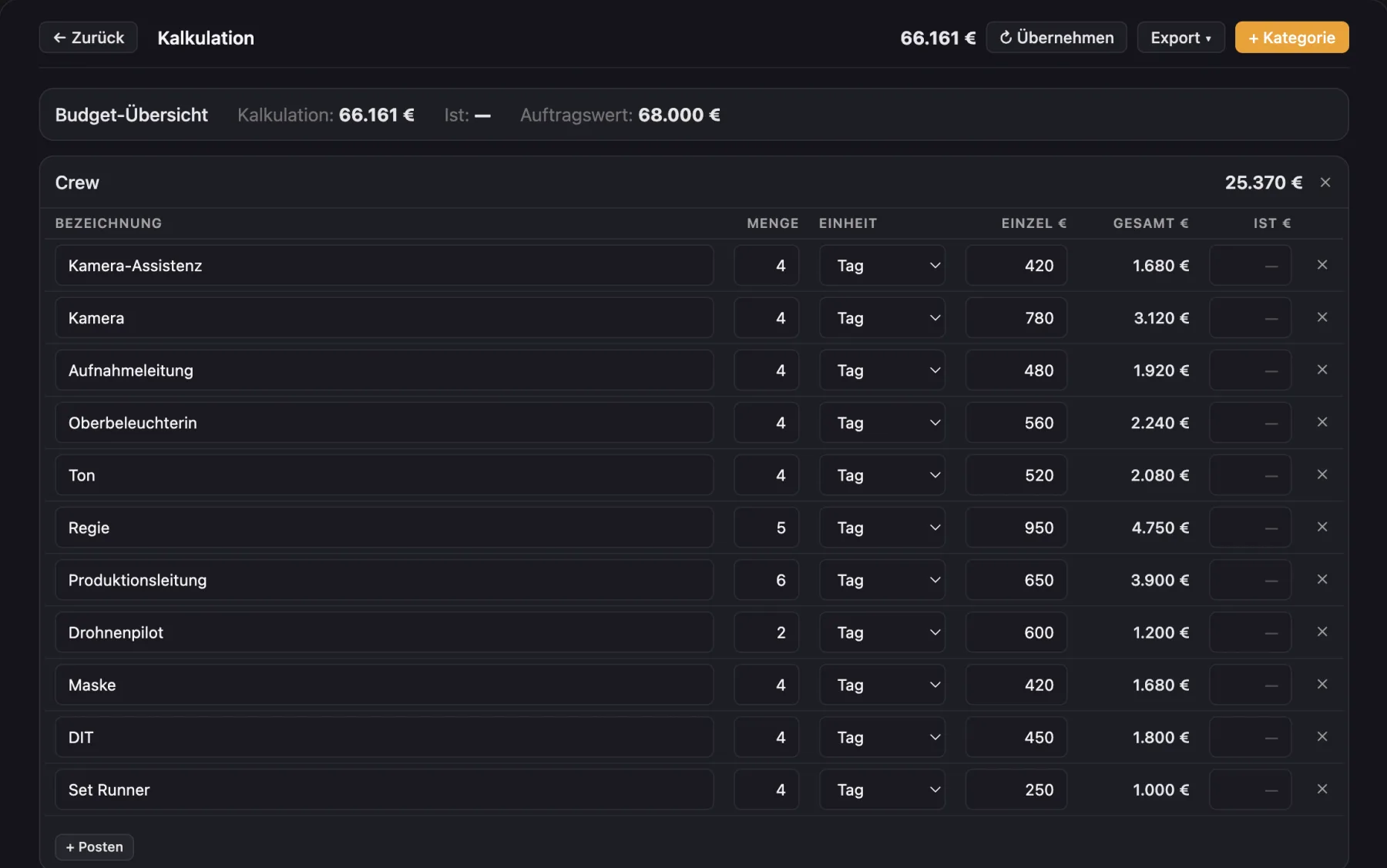
Budget

Budget by department, actuals versus estimate and contract value. Export as PDF or CSV.

Learn more →
Cinedash budget Cinedash budget

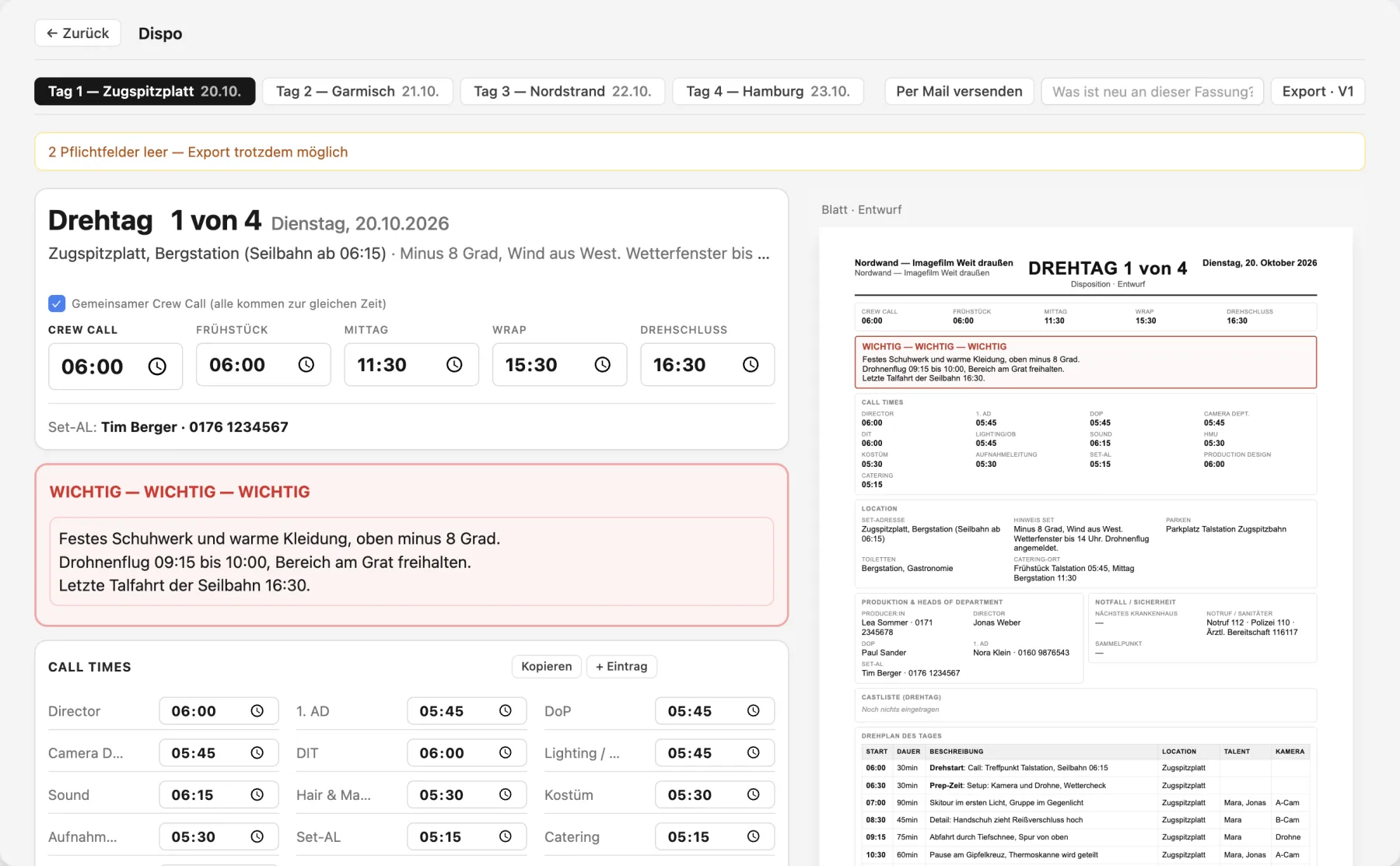
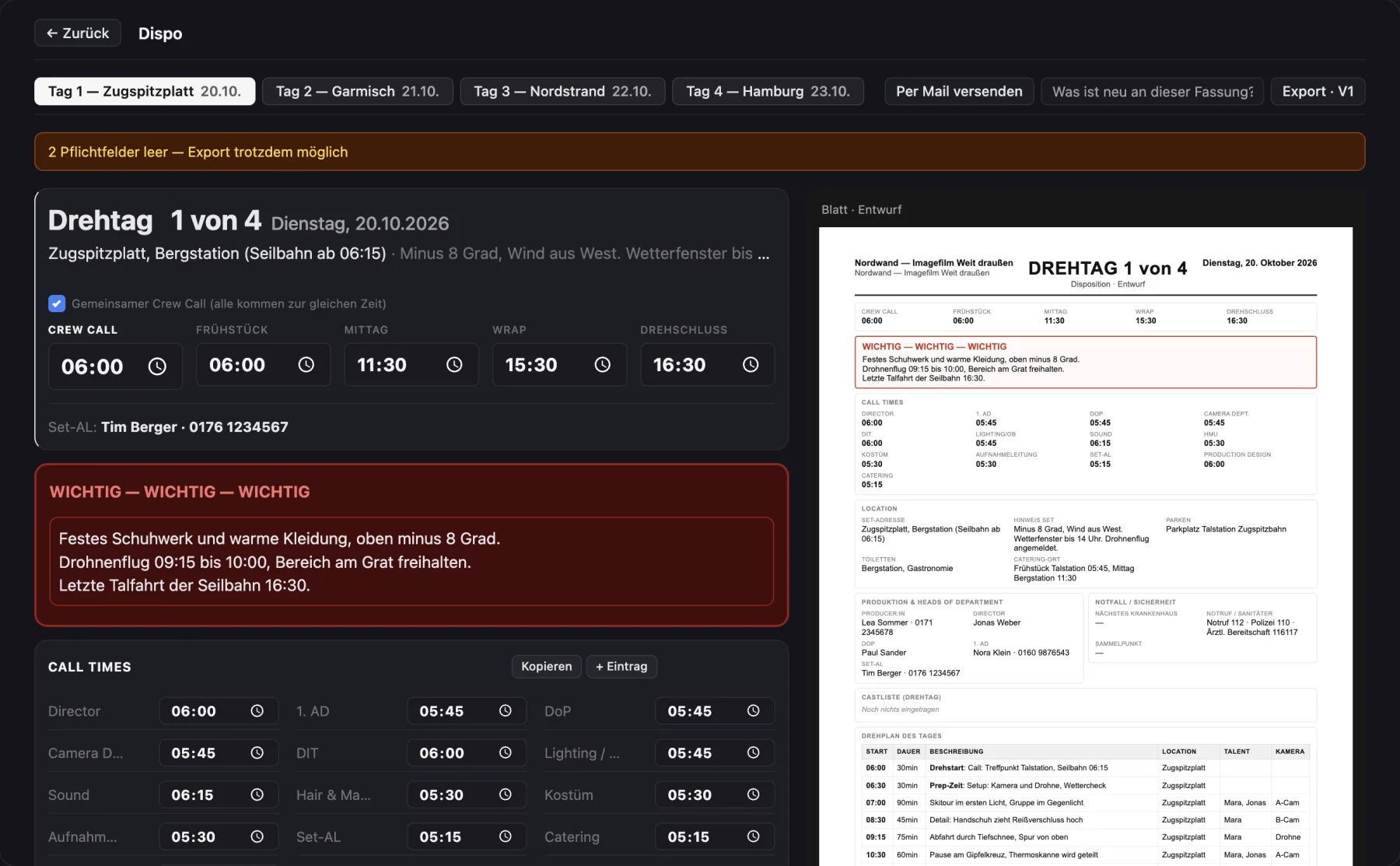
Call sheet

Daily call sheet with call times per department, location, parking, nearest hospital and weather. Email it to the crew or export a PDF.

Learn more →
Cinedash call sheet Cinedash call sheet

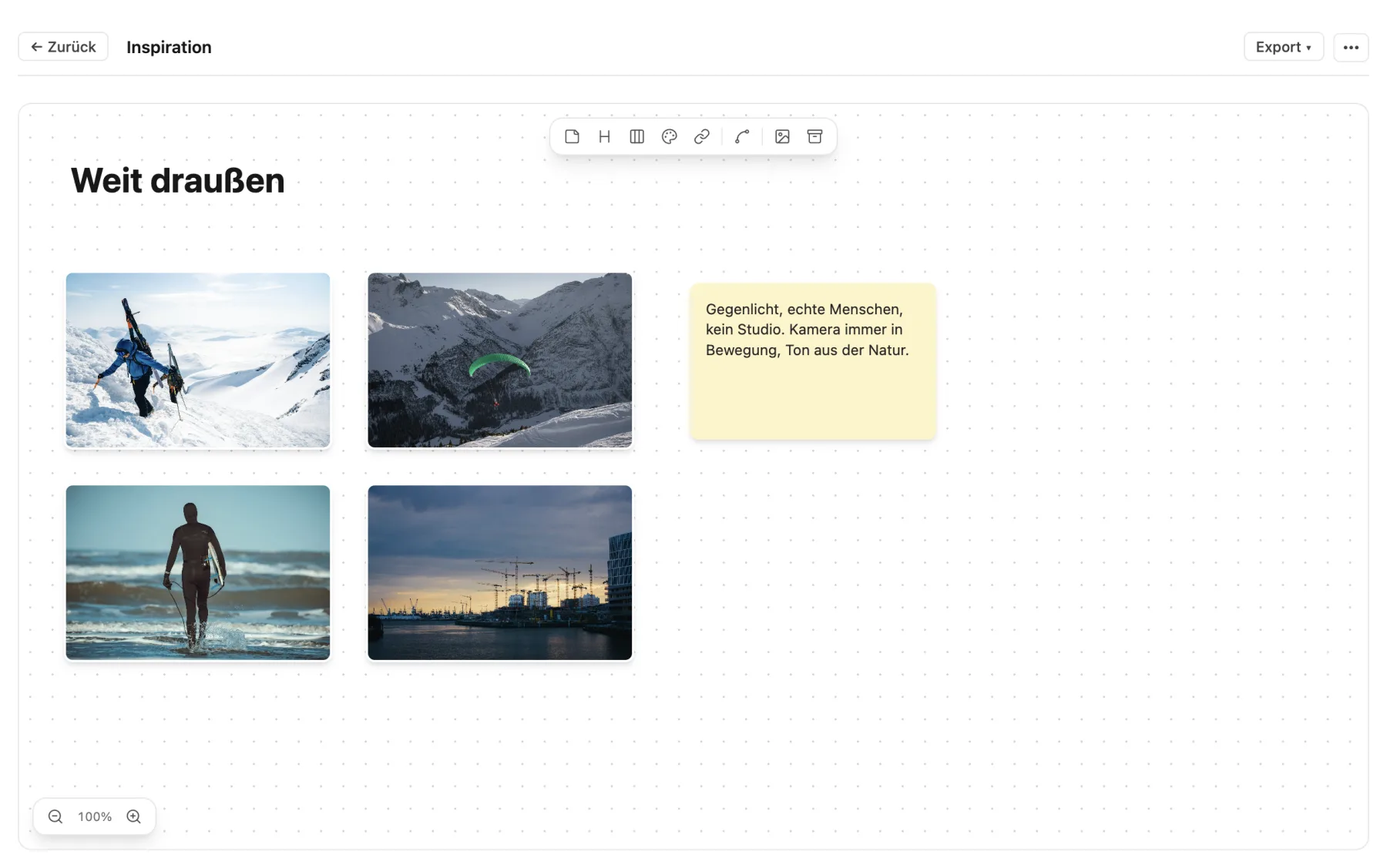
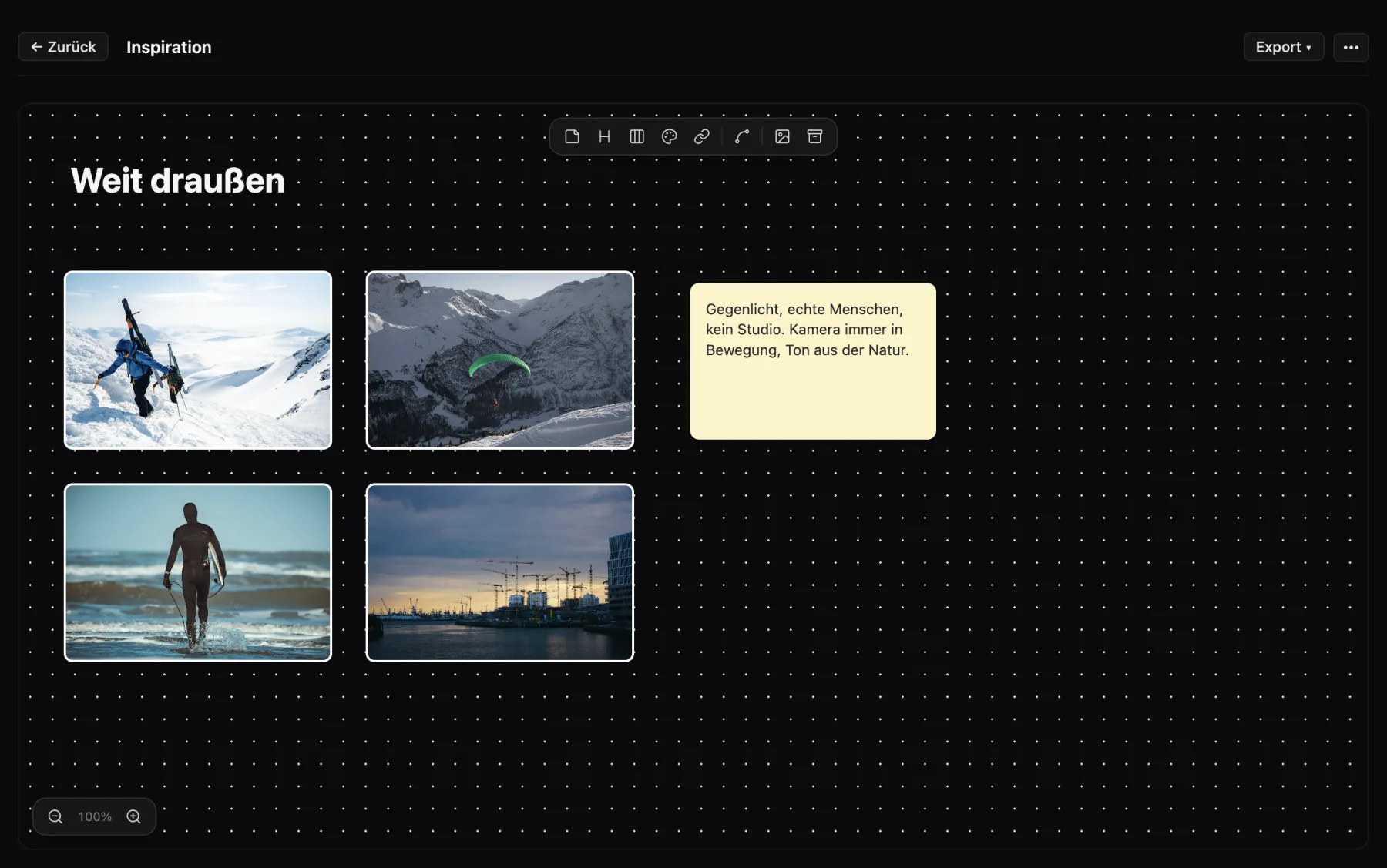
Mood board

Arrange images, links, notes and color palettes freely or in columns. One click turns it into a treatment PDF.

Learn more →
Cinedash mood board Cinedash mood board
🎬

Shot list & floor plan

Plan shots, draw sets, link scenes.

🧮

Budget

Estimate, actuals and contract value at a glance.

📞

Call sheet

Daily call sheet with call times, contacts & weather.

👥

Crew & cast

Profiles, rates and availability in your own database.

📍

Locations

With maps import, photos and permit status.

🎥

Equipment

Camera & lighting lists, your own gear database.

🤝

Clients

Clients, leads and projects linked together.

🤖

AI assistant (MCP)

Connect Claude and others to read and fill your project by chat.

🔗

Crew link

The crew sees the call sheet and info in the browser or the iPhone app, no account needed.

📱

Cinedash Set for iPhone

Call time, call sheet, timesheets and push on set. Free on the App Store ↗

📄

PDF export

Every view as a clean PDF, or all of them at once.

➕

And more

Wardrobe & makeup, catering, travel, contracts, timesheets.

Cinedash Set for iPhone

Plan on the Mac, shoot with the iPhone in your pocket. The crew sees their call time, the day's schedule and everything they need on location, no account required.

Cinedash Set: all shoots in one list Cinedash Set: all shoots in one list
All shoots in one list
Cinedash Set: personal call time with route Cinedash Set: personal call time with route
Your call time, route and notes
Cinedash Set: live schedule with a now line Cinedash Set: live schedule with a now line
Check off live, on time or behind
Free on the App Store

For iPhone. Push when a new call sheet is out, timesheets with a timer, the latest version even offline.

Buy once. Cloud only if you want it.

Cinedash Desktop is a one time purchase. The app is yours, works offline, for life. If you need cloud sync and want to share projects with your crew, add the cloud add-on monthly. Invited crew members pay nothing.

Limited time
Early Access

Cinedash Desktop

€ 79 one time · lifetime
  • All modules · unlimited projects
  • macOS (Apple silicon + Intel)
  • Data stored locally · works 100% offline
  • Floor plan, shot list, schedule, call sheet, clients
  • All updates included
  • Email support
Buy now

Erst ausprobieren? Try free for 14 days, ohne Zahlungsdaten.

Optional

Cloud-Add-on

€ 4,99 / month · cancel monthly
  • Cloud sync across all your devices
  • Share a project with up to 25 roles
  • Crew members pay nothing
  • QR crew link on set
  • Realtime updates · section locks
  • Backups in Frankfurt (EU)
Activate add-on

€4.99 per month, renews automatically every month, cancel any time at the end of the month. Requires an active desktop license.

Launch offer · until Dec 31, 2026

Found a bug? Get 15% back.

Cinedash is built on real productions, and they find bugs more reliably than any test plan. So for every meaningful bug you are the first to report and we can reproduce, we refund 15% of the purchase price. Up to 3 times per license, that is up to 45% of the purchase price back.

  1. Report in the app via "Report bug" (Settings → Feedback). A screenshot helps.
  2. We check whether it is meaningful, reproducible and new. If so, the refund is approved.
  3. Money back as a 15% partial refund to your payment method within 14 days.
Terms (the German version is binding)
  • Anyone who bought a Cinedash Desktop license can take part. The offer runs until Dec 31, 2026.
  • At most 3 approved bugs per license, so up to 45% of the purchase price back. Less for a discounted purchase, since a refund cannot exceed the price paid.
  • A bug is approved if it is meaningful and relevant, reproducible, occurs in the current version and was not known before. The first report counts.
  • Not approved: trivial issues (typos, matters of taste), feature requests, design preferences, bugs caused by third party software or manually edited project files, and duplicate reports.
  • Refunds are issued as a partial refund through our payment provider Lemon Squeezy to the original payment method. No cash payout, no transfer to third parties.
  • We decide on approval based on the criteria above and let you know by email. Your statutory right of withdrawal is not affected.
Do I really get money back if I find a bug?

Yes. 15% of the purchase price per approved, meaningful bug, up to 3 times per license (so up to 45%). Just report it in the app under Settings → Feedback → "Report bug". Details are in the terms above.

What happens if I cancel the cloud add-on?

All projects are loaded into your local desktop version and stay there. Invited crew members lose access. You can reactivate at any time.

Do my crew members have to pay too?

No. Anyone invited to a project as makeup, wardrobe, art department, AD, DP or another role uses the Mac app for free as a guest and sees exactly the projects they were invited to. The crew on set only needs the free iPhone app Cinedash Set, no account. Only people who create their own projects pay.

How many people can I invite per project?

Up to 25 roles per cloud project, with no limit on active projects. That covers most commercial, music video, short film and documentary crews.

Can I start with Desktop and upgrade later?

That is exactly what the model is made for. Buy the desktop version, get to work, and turn on cloud once you want to invite crew or sync between devices.